Learn languages from what you’re already watching.
Subtitle Tutor reads the subtitles on your screen and turns them into real-time language lessons — instant vocabulary, grammar breakdowns, and translations as you watch. No pausing, no copy-pasting, no dictionary tabs. Build a personal word bank from the shows and videos you actually enjoy.
How it works
Subtitle Tutor captures the subtitle text from whatever you’re watching and sends it to an AI tutor that explains it back to you instantly. Watch a film, read your captions, and tap any word or phrase for meaning, grammar notes, and a natural translation. Everything you look up is saved to your word bank for review.
Real-time capture
Grabs subtitles live as they appear, on web or mobile.
AI breakdowns
Vocabulary, grammar, and context explained in plain language.
Natural translation
Idiomatic translations, not word-for-word literal ones.
Personal word bank
Every lookup saved automatically for later review.
One tutor, every screen
Capture subtitles and learn from them on the web, in your browser, and on Android.
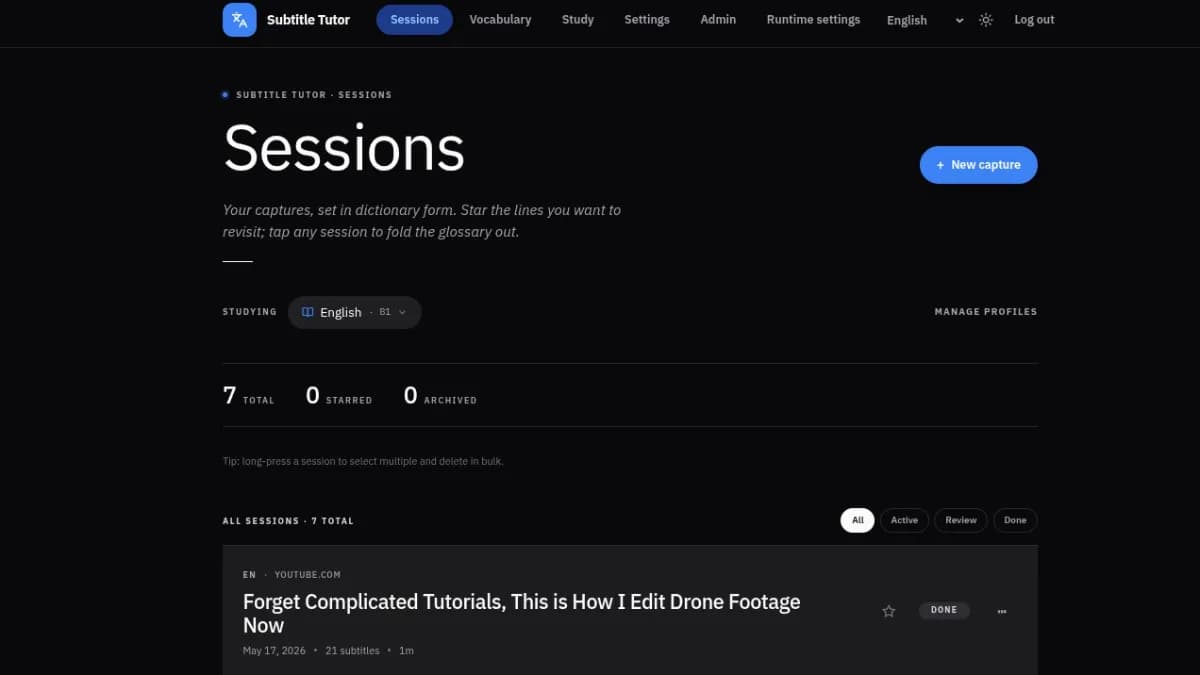
Your word bank, organized
Review everything you’ve looked up, browse past sessions, and study your saved words on a clean, fast dashboard.
- Searchable personal word bank
- Session history & lesson breakdowns
- Spaced review when you’re ready
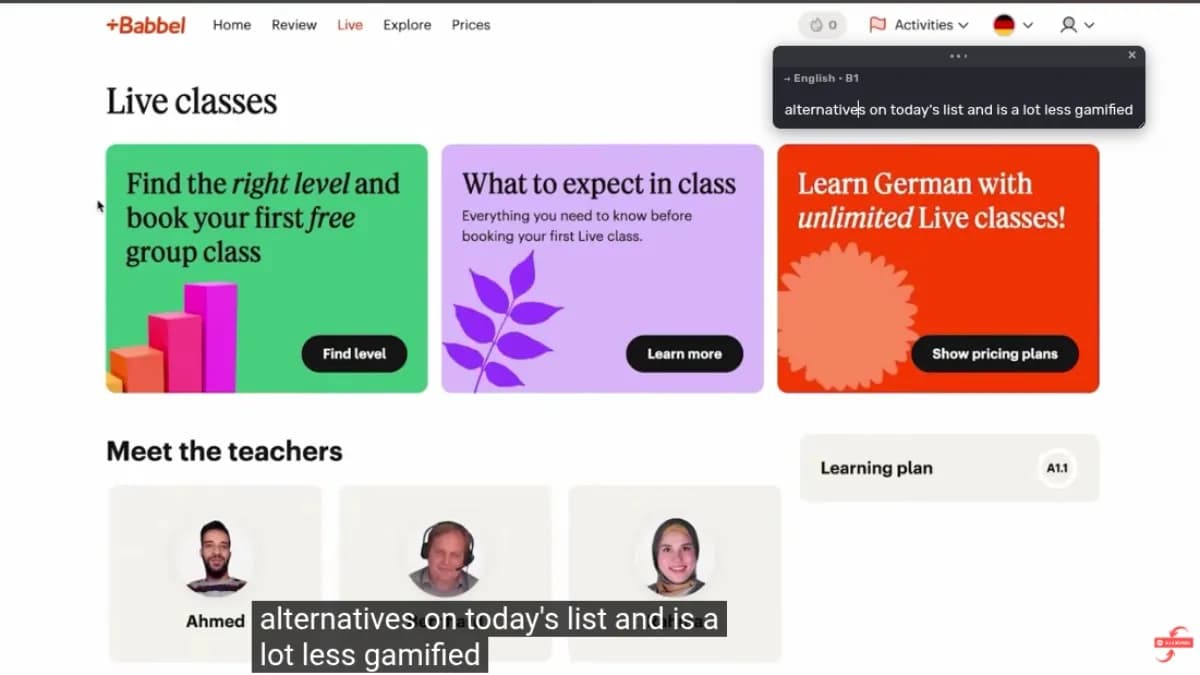
Captions, captured live
Subtitle Tutor lives right in your browser. The extension reads captions directly from video on streaming sites and YouTube and feeds them to the AI tutor — no separate app, no permissions setup. Just turn on captions and start watching.
- Works on streaming sites & YouTube
- Tap any word for meaning + grammar
- Saves to your word bank automatically
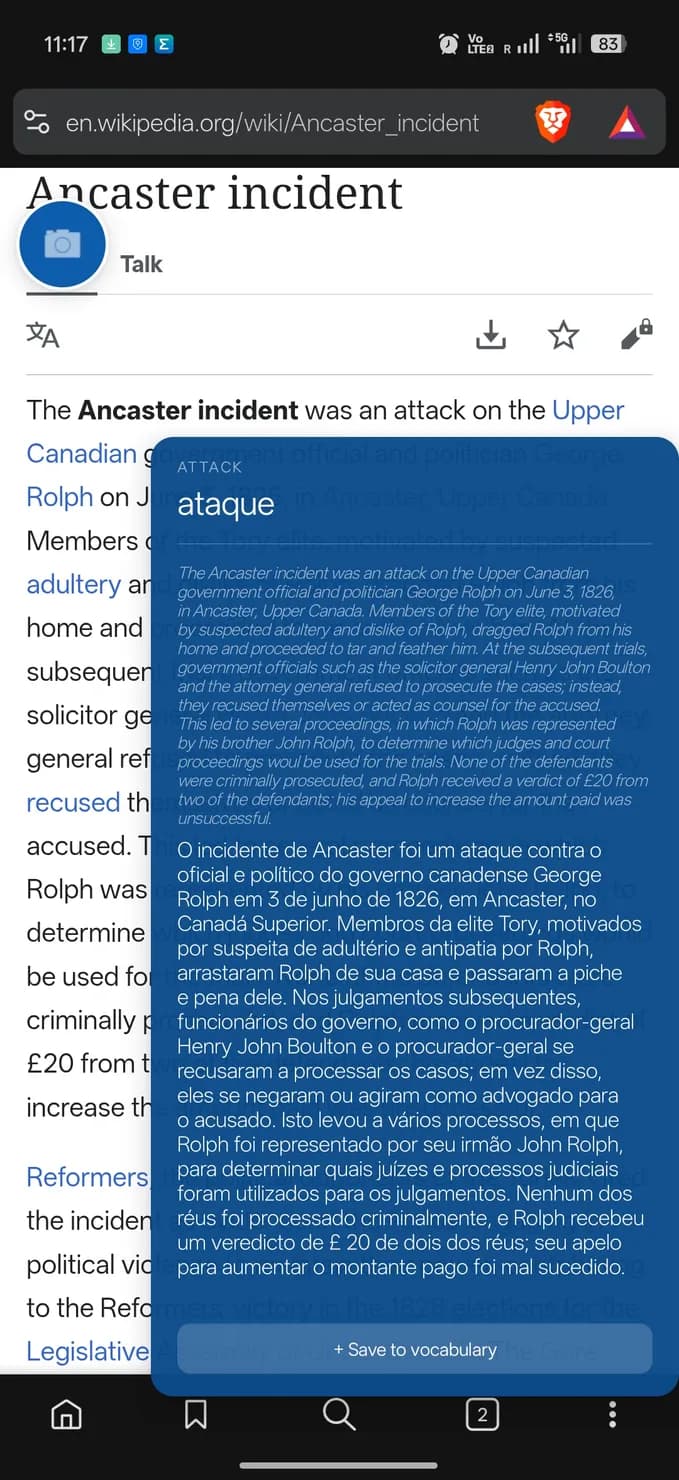
Subtitles in any app
An on-screen overlay reads subtitles in the background while you watch, and explains them in real time.
- Reads subtitles in any app
- Live overlay with translation
- Syncs across mobile and web
How to use Subtitle Tutor
How to use it — Browser Extension (Web)
- Install the Subtitle Tutor extension from your browser’s store.
- Pin it to your toolbar so it’s one click away.
- Sign in to your Subtitle Tutor account through the extension.
- Open any video and turn on its captions/subtitles.
- Click the extension icon to start capturing.
- Read the live analysis panel — tap any word for vocabulary, grammar, and translation.
- Saved words land in your word bank automatically for review.
How to use it — Mobile (Android)
- Download and install the Subtitle Tutor app.
- Sign in (or create an account).
- Grant the Accessibility Service permission when prompted — this is what lets the app read subtitles on screen. (Settings → Accessibility → Subtitle Tutor → On.)
- Open any app or video with subtitles showing.
- Subtitle Tutor reads the captions in the background and analyzes them in real time.
- Open the Subtitle Tutor overlay/panel to see vocabulary, grammar, and translation.
- Your word bank syncs across mobile and web.
Turn tonight’s show into your next lesson.
Build a personal word bank from the shows and videos you actually enjoy.